Why pictures work when words don't
- No pronunciation needed. A word you mispronounce can mean nothing — or something else. A picture of a toilet means a toilet everywhere.
- No shared alphabet needed. Pictures work in countries where you can't even read the signs, and with people who can't read yours.
- Fast. Pointing takes a second. That matters when you're hungry, lost, or in a queue.
- Anyone can do it. You don't need to be good at languages — or old enough to read. Which is why picture cards work so well for children, too.
Tap. Show. Connect.
- Find the picture. Open a category — Basic Needs, Food & Drink, Places, Health & Safety — or search for it. Your most-used icons are waiting under Recently used.
- Show it big. Tap the icon to show it full screen and turn your phone around. Pinch to zoom if the other person needs a closer look.
- Check you were understood. Wait for a nod or a thumbs-up. Need to say more? Combine two icons in Draw — a taxi, an arrow and a hotel say “take me to my hotel”.
 Hotel
 Taxi
 Pharmacy
 Money
 Milk
Paper cards vs. your phone
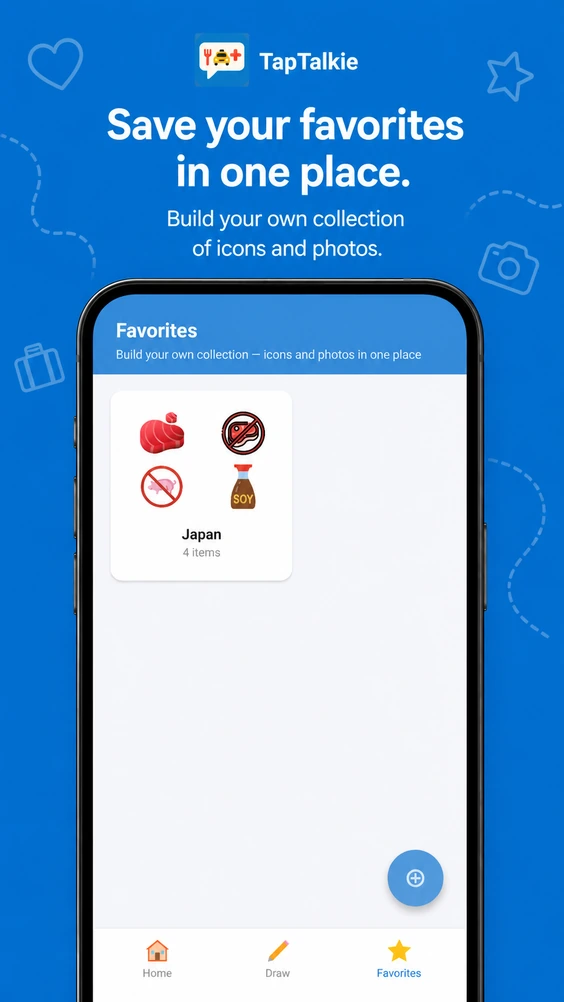
Printed picture cards are a great idea — until you need the one you didn't print. On your phone you carry 400+ icons in 26 categories, and you can add what no printed card has: a photo of your hotel, your allergy card, or the medicine you take. Keep everything for a trip in one Favourites folder, so the right picture is always one tap away.
Giving kids a voice abroad
Abroad, children often depend on their parents for every word. A few pictures change that. When a child can point at what they need, they can ask for it themselves — and travelling feels a lot less frustrating for everyone.
- Make them their own folder. Before you leave, create a folder in Favourites with the icons your child is likely to need: the toilet from Places, water and ice cream from Food & Drink, a band-aid from Health & Safety for a scraped knee.
- Travelling with a baby? Basic Needs has icons for a baby bottle and baby changing, so you can ask for what you need in a second.
- Add the important ones. If your child has a food allergy, put the allergen icons in their folder — peanut, milk, eggs, shellfish. Read how to explain food allergies abroad for the full routine.
- Practise at home. Play “show me what you need” before the trip. Children pick it up quickly — and they're proud when it works.
- Let them ask. At the ice-cream stand, at the restaurant, at the hotel desk: let your child show the screen while you stand right beside them.
A tool for you to hand over, not a babysitter. Keep young children within sight, and keep the phone in your hands when you're on the move. It's also worth adding a photo of your hotel's address card to their folder.
Set it up in five minutes
- Create a folder for the trip in Favourites and add the icons you'll use most.
- Add your photos — your hotel's address, your allergy card, the medicine you take.
- Short on time? With a connection, describe your trip and AI Smart Folders fills a folder with the right icons for you.
No signal? No problem. Your icons, folders, photos and drawings live on your phone, so they work offline — on the plane, in the countryside, before you have a local SIM. Only AI-powered search and AI Smart Folders need a connection.
Frequently asked questions
What are travel picture cards?
Simple pictures of everyday needs — food, a toilet, a taxi, a pharmacy — that you point at instead of speaking. Anyone can understand a picture, whatever language they speak. TapTalkie puts 400+ of them on your phone, sorted into 26 categories.
Can children use picture cards when they travel?
Yes — pointing at a picture is something even young children can do. Set up a folder of their icons before the trip, practise at home, and let them show what they need while you stay close by.
Do I need an internet connection?
No. Your icons, favourites, photos and drawings work offline. Only AI-powered search and AI Smart Folders need a connection.
400+ universal travel icons in 26 categories — ready on your phone, even offline.

Every plan starts with a free 7-day trial. Cancel any time in Google Play.

