Before you get in
- Save your address as a photo. Screenshot your hotel's address — in the local script if the country uses one — or ask reception to write it down and take a picture. Add it to your trip folder in TapTalkie.
- Use the official taxi rank. At airports and stations, follow the signs to the official rank rather than accepting a ride from someone who approaches you.
- Know roughly what it should cost. Ask your hotel or the airport information desk for the usual fare before you set off.
Tap. Show. Connect.
- Show where you're going. Open the photo of your address first. If it helps, add a place icon — airport, train station, bus station, hotel, museum, beach or market.
- Agree the fare. Ask for the meter, or agree a price before you leave. Show the money icon and the amount with the Numbers icons, digit by digit — or simply write it with Draw.
- Sort the extras. Travelling with a suitcase, a backpack or a baby? There are icons for luggage, backpack and a baby car seat — show them before the boot closes.
 Taxi
Taxi Airport
 Hotel
Hotel Luggage
 Money
MoneyGoing somewhere urgent? Draw it
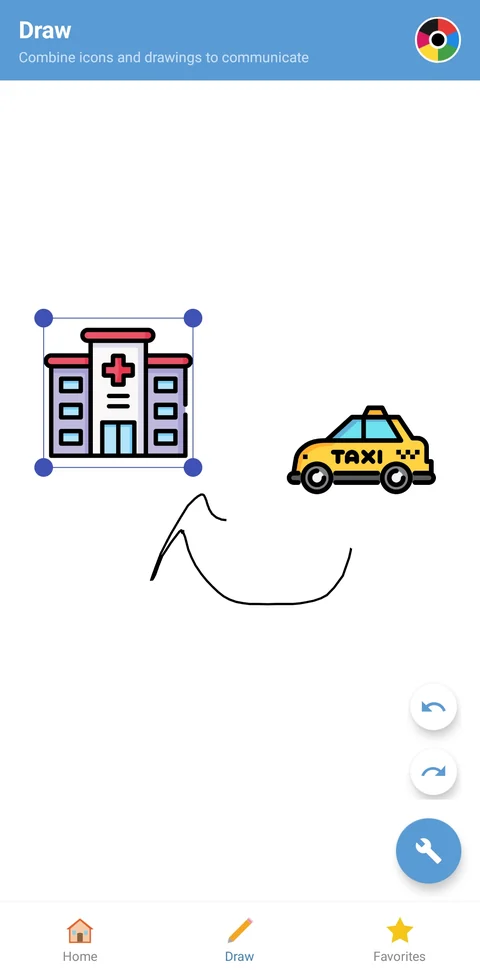
When the destination matters more than the address — a hospital, a pharmacy, the police — combine icons in Draw. A taxi, an arrow and a hospital say “take me to the hospital” in any language.
If you're unwell, read what to do in a medical emergency abroad as well.
During the ride
- Follow along on a map. Open the destination in your maps app too — it's reassuring, and you can point if the driver needs directions.
- Need to stop? Show the toilet, pharmacy or supermarket icon. Short, clear, no misunderstanding.
- At the end, show the amount you agreed, pay, and don't forget your luggage.
Just landed, no local SIM yet? Your icons, folders and photos work offline, so the whole routine works from the moment you step off the plane. Only AI-powered search needs a connection.
Frequently asked questions
How do I tell a taxi driver my address if I don't speak the language?
Show it. Save a photo of your address — ideally in the local script — in a TapTalkie folder, then show the screen. Add the hotel or airport icon if it helps.
How do I agree on the price with the driver?
Ask for the meter, or agree a fare before you set off. Show the money icon and the amount with the Numbers icons, or write the amount with Draw.
Does TapTalkie work without mobile data?
Yes. Your icons, folders and photos work offline — useful when you've just landed and have no local SIM yet. Only AI-powered search needs a connection.
400+ universal travel icons in 26 categories — ready on your phone, even offline.

Every plan starts with a free 7-day trial. Cancel any time in Google Play.

